The 2026 Guide to Chatbot UI/UX: Psychology, Transparency, and Handoffs
The 2026 Guide to Chatbot UI/UX: Psychology, Transparency, and Handoffs
In the era of Agentic AI and Large Language Models, the underlying "brain" of digital agents has grown infinitely complex. Yet, the physical window through which the user engages that brain, the chatbot UI, often remains treated as an afterthought.
By 2026, forcing a trillion-parameter neural network into an outdated, clunky SMS-style chat bubble from 2018 is a failure of product design. When a user interacts with a modern B2B SaaS platform, the interface must reflect the extreme sophistication of the backend. Great AI with poor UI generates zero trust. Poor trust generates zero revenue.
Constructing a highly converting chatbot interface design requires a profound understanding of human psychology, interface aesthetics, and the rigorous engineering of "the handoff" between a machine and a human.
In this comprehensive guide, we unpack the definitive chatbot design best practices tailored specifically for enterprise B2B sales and high-velocity B2C environments.
1. The Psychology of AI Interaction
When a human engages with a non-human entity through a text or voice interface, psychological friction is immediately introduced. The human is subconsciously attempting to determine the agent's boundaries: How smart is this thing? Can it actually help me? Will it waste my time?
Overcoming this psychological barrier is the primary objective of your Conversational UI.
The Problem of "The Uncanny Valley"
If an AI agent acts too human, if it uses excessive slang, fakes typing delays for too long, or pretends to have human emotions ("I am so sorry to hear that, I am crying for you"), it plunges the user into the uncanny valley. It feels manipulative.
Conversely, if the agent speaks like a robotic command-line interface ("ERROR 404: Input Not Recognized. Please Try Again"), the user feels alienated and frustrated.
The Solution: "Competent Pragmatism"
The optimal psychological state for an enterprise AI agent is "Competent Pragmatism." The tone should mirror a highly capable junior analyst. It should be polite, incredibly direct, structurally organized (utilizing bullet points and bold text), and entirely focused on resolving the query. The user should feel that they are interacting with a sophisticated tool, not a fake human.
For insight on how this tone impacts the outbound sales lifecycle, refer to our comprehensive piece on AI Sales Agents for B2B Startups.
2. Transparency: "I am an AI Assistant"
One of the most catastrophic mistakes in early chatbot interface design was the attempt at deception. Companies would name their bot "Sarah," use a stock photo of a smiling woman, and program the bot to actively deny its artificial nature.
In 2026, deception is not only terrible UX, but it is also increasingly regulated by global AI privacy laws. More importantly, buyers despise it. When a B2B buyer discovers they have spent five minutes negotiating pricing with a machine masquerading as a human, the trust deficit is often permanent.
The Power of Upfront Disclosure
 Transparent and Intelligent AI Behavior
The number one chatbot design best practice is immediate, unambiguous transparency.
The first message should clearly define the entity's nature and capabilities.
Poor UX:
< "Hi! I'm David from the Sales Team. How can I help you today?"
Excellent UX:
< "Hi there. I'm the LeadAdvisor Digital Copilot. I can instantly analyze your pricing tier, pull API logs, or route you to an Enterprise Account Executive. What do you need?"
By stating precisely what the AI can do, you instantly lower the user's cognitive load. The user no longer has to guess the bot's capabilities. They understand the boundaries of the engagement, and respect the brand for respecting their time.
3. Designing Smooth Handoffs to Human Agents
No matter how advanced an LLM becomes, there are absolute hard limits to its utility. An AI cannot finalize a custom Service Level Agreement (SLA) requiring legal review. An AI cannot navigate the complex internal politics of a Fortune 500 procurement department.
When the AI reaches the limit of its authorization or technical capability, the "Handoff" to a Human-in-the-Loop (HITL) must be architecturally flawless. The majority of chatbot UI failures occur specifically during this transition point.
The Anatomy of a Perfect Handoff
When a user types: "This standard pricing doesn't work for us. We need a custom enterprise deployment covering 40 global offices," the AI must recognize the intent ("Enterprise Negotiation") and execute a graceful degradation of its authority.
- Acknowledge the Limitation: The AI must explicitly confirm the user's request while stating its boundary. AI: "A global deployment of that scale requires a custom SLA and volume discounting, which is outside my authorization."
- State the Action: The AI tells the user exactly what is happening next. AI: "I am routing our conversation history directly to Michael, our Director of Enterprise Sales. He is currently online."
- Provide Continuous Context (For the Human): On the backend UI (the human agent's dashboard), Michael does not just see a blank chat window. The system passes a summarized brief generated by the LLM: "Prospect requires custom SLA for 40 global offices. They have already viewed the standard API docs. High Intent."
- The Human Takes Over: Michael enters the chat exactly where the AI left off. "Hi there, it's Michael. I'm reviewing the AI's summary of your global footprint request..."
The user is never asked to repeat themselves. The friction is zero. The transition is seamless. For a technical perspective on how to architect these support flows, read How to Automate Support.
4. Visual Design Trends for 2026
The visual paradigm of a chat interface must evolve beyond the simple text bubble. An Agentic AI executes complex actions; therefore, its UI must support complex data visualization.
Micro-Apps and "Rich Output"
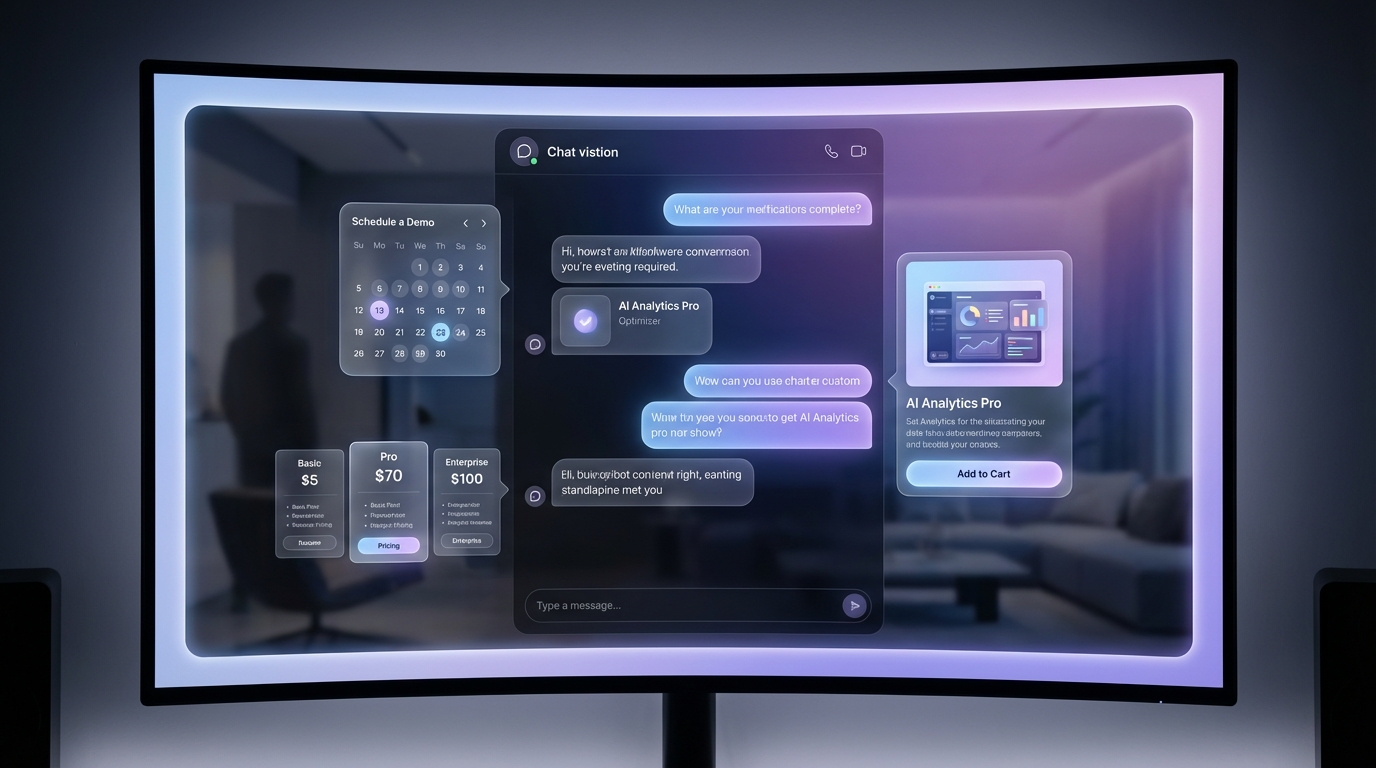 Rich UI Components in Chat
When a user asks a modern ai chatbot for website a question about analytics, they do not just want a text summary. They want the data.
- Dynamic Components: If the AI is asked for a pricing comparison, it shouldn't list numbers in text. The UI should dynamically render a React pricing table directly inside the chat window.
- Interactive Calendars: If the AI is booking a meeting, it should render an interactive calendar UI element, allowing the user to select a slot with one click, rather than typing "Tuesday at 4 PM."
- Carousels and Product Cards: For eCommerce applications, the AI should return swipeable product cards with high-resolution imagery and instant "Add to Cart" buttons.
Skeuomorphism vs. Flat Design in AI
While the flat, minimalist design language of the 2010s remains dominant in SaaS, AI interfaces are beginning to incorporate subtle skeuomorphic cues to indicate deeper processing.
- The "Thinking" State: Instead of a generic loading spinner or three static dots (typing indicators), sophisticated UIs now show the AI's internal "Chain of Thought" visually.
UI Display (Subtle gray text):
Querying Salesforce CRM...->Analyzing Account History...->Drafting Response...This micro-transparency builds immense trust. It proves to the user that the AI is actually working on their behalf, searching deep databases rather than just generating a quick text string.
Ambient Awareness
The chat widget should no longer obscure the main content of the website. Successful implementations in 2026 often utilize "Ambient UI." The chat interface lives in a collapsible, translucent sidebar that docks to the right side of the screen, allowing the buyer to continue scrolling the main website or reading a case study while the AI conversation remains persistently visible on the periphery.
Conclusion: LeadAdvisor AI and Optimal Interface Architecture
The ultimate goal of any digital interface is the invisible bridge between a user's intent and a system's execution. If your user feels like they are fighting the chatbot UI, or if they are confused by ambiguous boundaries, the actual intelligence of your underlying AI model is completely irrelevant.
Mastering chatbot interface design requires an unrelenting commitment to transparency, pragmatic tone, rich visualizations, and zero-friction human escalation.
LeadAdvisor AI is architected precisely around these chatbot design best practices. We engineered our front-end widgets and our back-end orchestration layer to work in perfect harmony. The intelligence of our Agentic AI is matched only by the pristine, intuitive nature of the interface it inhabits.
Stop losing enterprise deals to frustrating chat experiences. Design for transparency. Engineer for action.
To discover how these sophisticated interfaces are ultimately changing the fundamental dynamics of B2B outbound, explore our analysis of The Future of AI Sales and start building a genuinely autonomous revenue capability today.