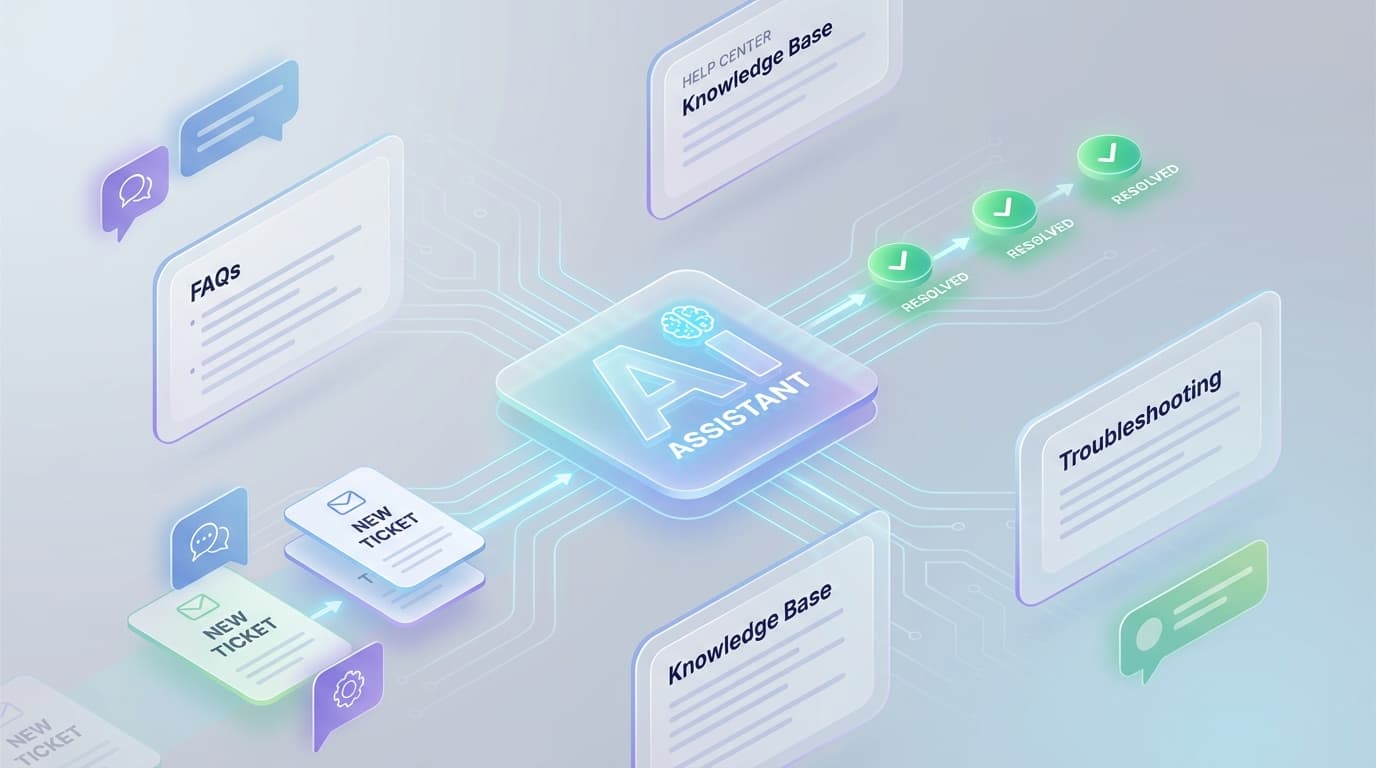
How to Automate 80% of Your Support Tickets

How to Automate 80% of Your Support Tickets
Customer support teams in rapidly growing B2B SaaS companies are constantly fighting a losing battle against volume. As your user base scales, the influx of support tickets scales proportionally—and often exponentially, if you release a new feature that fundamentally changes the user experience.
The traditional, legacy solution to this problem has always been brute-force hiring: throwing more human capital at the queue. Directors of Customer Success fight for budget to hire more Tier 1 support reps, dramatically inflating operational costs. Yet, despite this massive expenditure, response times inevitably drag during nights, weekends, or unexpected traffic spikes.
But what if you didn't have to hire more people to handle more volume? What if a vast majority of those incoming tickets never actually needed a human set of eyes to begin with?
In 2026, the data is clear: up to 80% of B2B support queries are highly repetitive, knowledge-based questions. They are issues that are already explicitly covered in your documentation. By deploying advanced conversational AI agents, you can completely automate the resolution of this 80%, transforming your support organization from a reactive cost-center into a proactive engine of customer delight.
Here is a comprehensive, step-by-step guide on how to fundamentally change your support architecture.
Part 1: The Core Problem with Modern Support
The Hidden Knowledge Base
Every software company spends hundreds, if not thousands, of hours writing detailed documentation. You have Zendesk Help Center articles, Notion wikis, API references, and PDF setup guides.
But let's be entirely honest: customers hate searching through documentation.
When a user encounters friction—like a failed webhook payload or confusion over seat-based billing—their patience is near zero. They do not want to hunt for a search bar, type in a clunky query, click a link, and read a 2,000-word tutorial to find the one paragraph that actually solves their problem.
Because finding the answer requires cognitive effort, the path of least resistance for the user is simply to click the small "Contact Support" button and open a ticket. They offload the effort of searching onto your human team.
The Cost of the "Where is my API Key?" Ticket
When that ticket arrives in your Zendesk queue, it initiates a highly inefficient chain reaction:
- The ticket sits unread for an average of 4 hours.
- A human agent eventually reads it.
- The human agent recognizes it as a standard question.
- The agent searches the very same help center the user ignored.
- The agent copies the link, pastes it into a macro template, and hits "Send."
This interaction cost your company literal dollars in human payroll, while simultaneously delivering a poor, high-latency experience to the user.
Part 2: The AI Deflection Engine
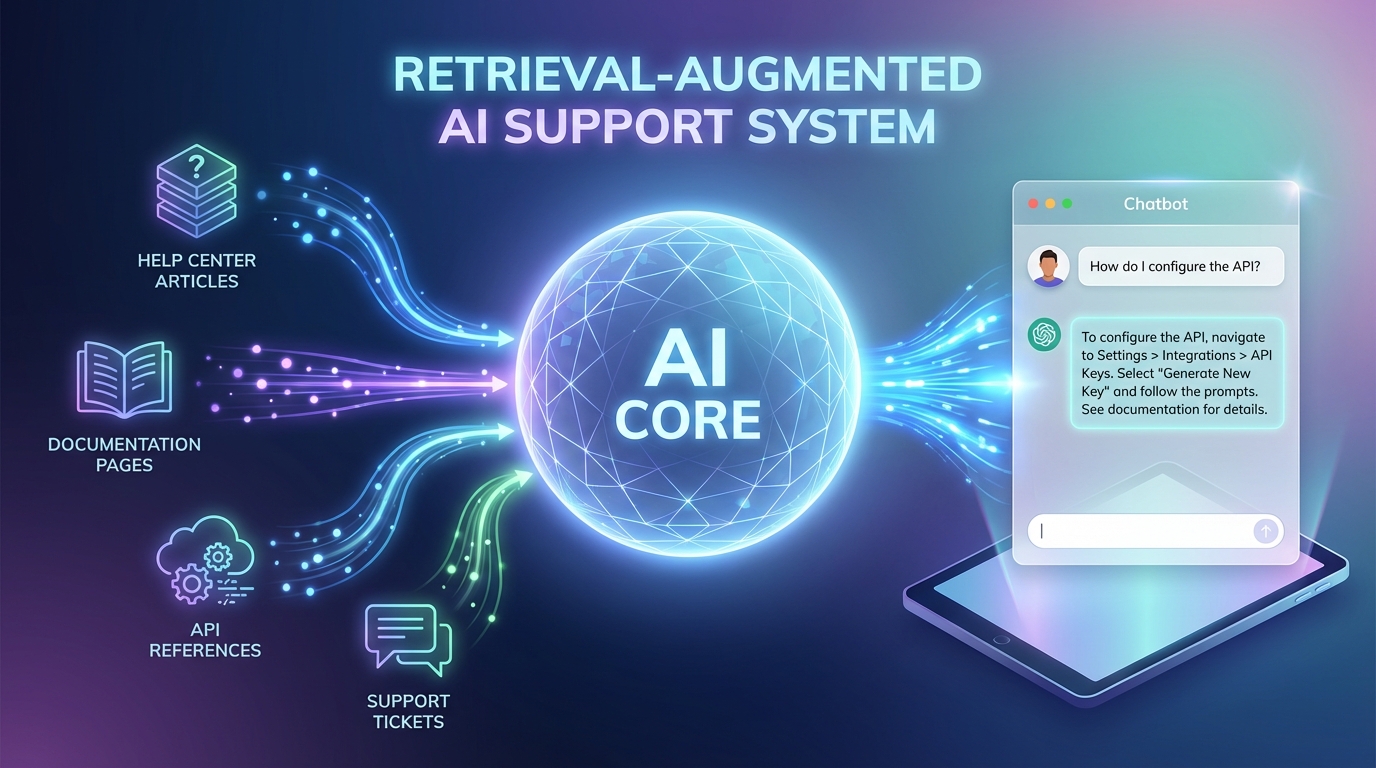 RAG Knowledge Engine
The solution is not forcing users to read more; it is extracting the answers for them instantly. This introduces the concept of Retrieval-Augmented Generation (RAG)—the architecture powering modern AI Support Agents.
Step 1: Ingesting the Source of Truth
Unlike generative AI models that rely on generalized internet training data (which inevitably leads to dangerous hallucinations), a RAG-powered agent is fundamentally constrained to your specific company's reality.
To build the deflection engine, you do not write decision trees. Instead, you connect the AI platform directly to your data silos:
- Zendesk or Intercom Help Centers
- Internal Confluence or Notion Wikis
- Stripe Billing Documentation
- GitHub Repositories containing API specs
- Past resolved support tickets (analyzing how human agents solved edge cases)
The AI ingests this entire corpus, creating an intricate semantic web of your product's functionality.
Step 2: Semantic Understanding vs. Keyword Matching
Legacy chatbots failed because they relied on rigid keyword matching. If a user asked, "How do I reset my password?", the bot would succeed. But if the user asked, "I can't seem to get back into my account, the login screen is stuck," a legacy bot would throw an "I didn't understand that" error because the exact trigger word "password" wasn't used.
Modern LLMs understand the semantic intent behind language. When the user says they are "stuck at the login screen," the AI understands they likely need credential recovery. It instantly scans your ingested documentation, extracts the exact steps for recovery, and drafts a conversational, empathetic response in real-time.
Step 3: Zero-Latency Resolution
When deployed effectively on your marketing site, inside your SaaS dashboard, and via an integration into your support email inbox, the AI acts as the ultimate frontline defense.
A user clicks the chat widget and types: "Where do I find the webhook secret for the Slack integration?"
Within 1.5 seconds, the AI responds: "You can find your Slack Webhook Secret by navigating to Settings > Integrations > Slack. Just click the 'Reveal' eyeball icon next to the production key. Here is a direct link to that dashboard page for convenience."
Ticket deflected. Zero human intervention. Infinite CSAT score.
Part 3: From Passive Answering to Active Execution
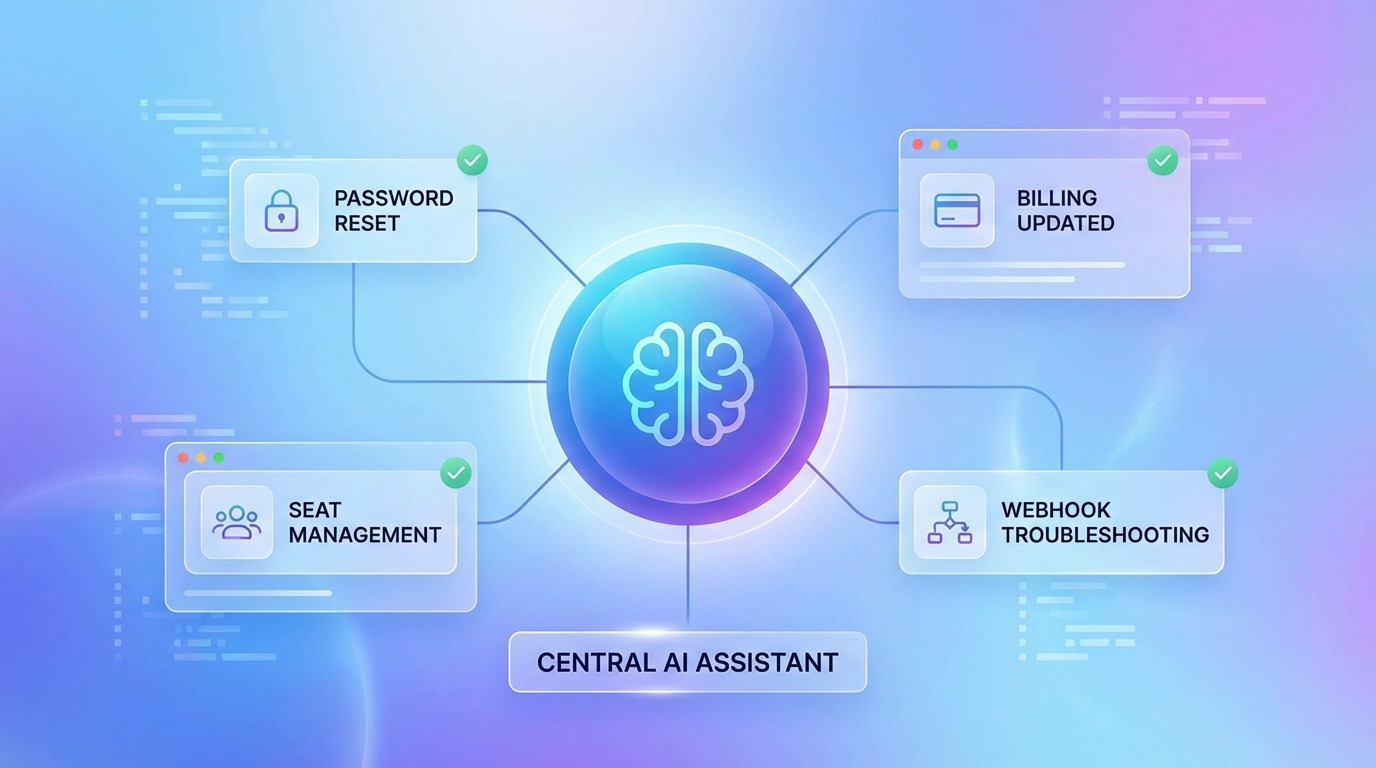 AI Support Actions Automation
Deflecting questions is merely the baseline. The true power of an AI automated support strategy is granting the AI the ability to take action on behalf of the user.
By giving your AI agent secure, restricted access to specific internal API endpoints, you allow it to resolve complex Level-1 and Level-2 support tasks natively within the chat interface.
Automated Triage and Actions
Consider these high-frequency support actions that can be fully automated:
- Password Resets & 2FA Recovery: The AI securely verifies the user's identity through secondary channels (like sending an SMS code) and initiates the reset protocol without a human agent ever touching a security ticket.
- Seat Management and Billing: A user asks, "Can you add three more admin seats to my plan?" The AI ping your Stripe backend, calculates the prorated cost, asks the user to confirm the charge of $150, and upon confirmation, executes the API call to update the subscription tier instantly.
- Order and Deployment Tracking: For hardware or on-premise deployments, the AI can query your fulfillment APIs and provide real-time updates regarding shipping or server provisioning statuses.
- Automated Refund Processing: Based on strict policy rules you define (e.g., "Only allow automated refunds if the user has been subscribed for less than 14 days and has logged in fewer than 3 times"), the AI can approve, process, and log a refund autonomously.
By executing these actions, the AI moves beyond being a glorified search engine; it becomes a functional member of your Customer Success team.
Part 4: The Crucial "Human-in-the-Loop" Protocol
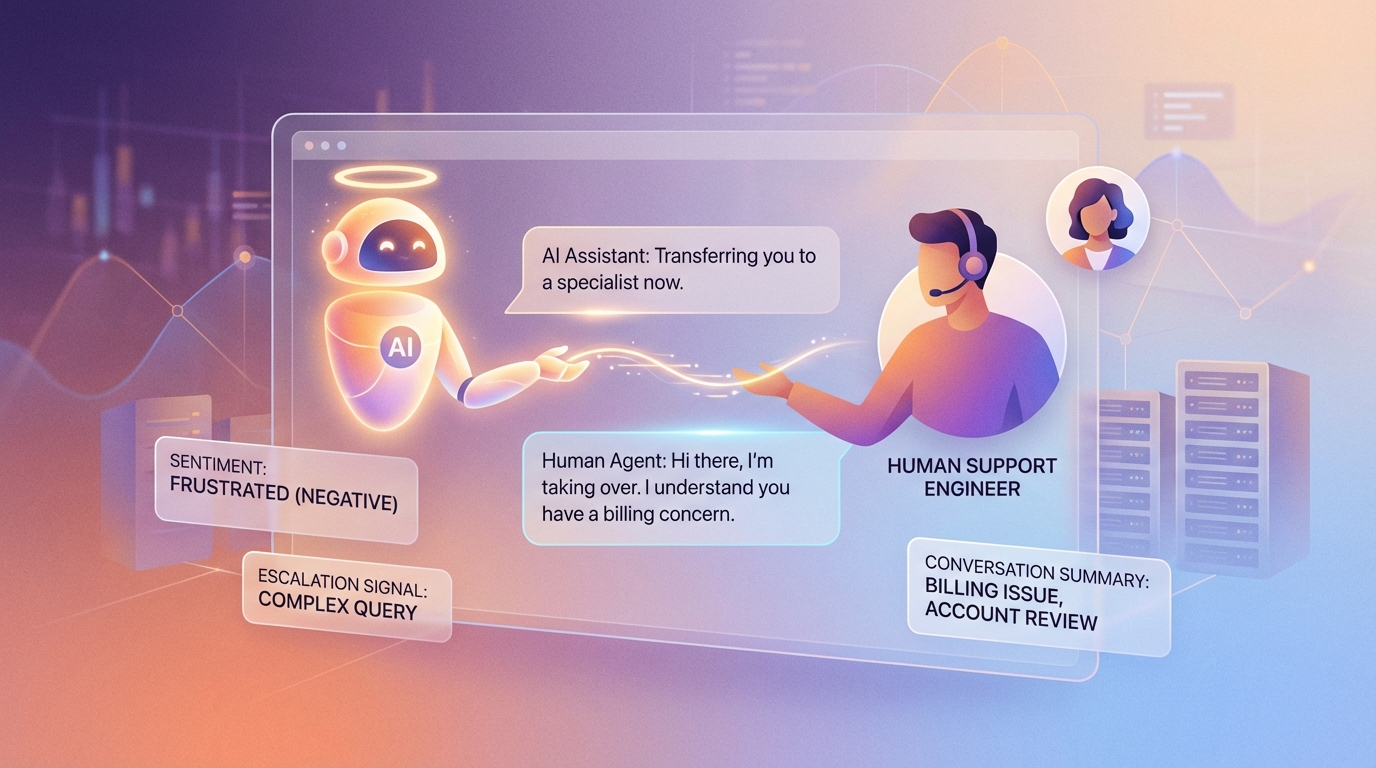 Human in the Loop Support
The most dangerous mistake a SaaS company can make is viewing AI as a total replacement for human empathy. No matter how advanced the LLM, there are scenarios where a human must intervene.
Designing the Handoff
A successful automated support strategy relies on a seamless "Human-in-the-Loop" (HITL) architecture. The AI must be trained to recognize its own limitations and gracefully exit the conversation when necessary.
Triggers for Human Intervention:
- Knowledge Gap: If the AI searches its vector database and cannot find documentation relating to the user's query, it must never try to guess. It should state: "I want to ensure I give you the perfect answer, so I am bringing in one of our technical specialists to look at this."
- Negative Sentiment: Advanced agents constantly analyze the emotional sentiment of the user's text. If a user types, "This is ridiculous, my whole system is down," the AI recognizes the high stress level. It immediately bypasses standard troubleshooting and routes the chat as a high-priority P0 ticket to a human Tier-3 engineer.
- Explicit Commands: If a user types "Talk to a human," the AI should immediately comply. Bouncing a user around an AI loop when they have explicitly requested human help destroys brand trust.
The Seamless Transition
When the handoff occurs, it must be frictionless. The human agent should receive a complete AI-generated summary of the conversation thus far: "Context: User is trying to authenticate via OAuth but is receiving a 500 server error. I have verified their API key is active. They are frustrated. Passing to Engineering."
The human engineer steps into the chat seamlessly: "Hi Sarah, I see you're getting a 500 error on the OAuth handshake. Let me pull the server logs for your instance right now."
The customer feels heard, respected, and prioritized.
Part 5: Elevating Your Human Support Team
When you successfully automate 80% of your support volume, a profound shift happens within your Customer Success organization.
Your human agents are no longer burned-out "ticket monkeys" copying and pasting links all day. Their cognitive bandwidth is freed. What do they do with this newly found time?
- Proactive Success: They transition from reactive support to proactive success. They can monitor product usage data, identify accounts that are at risk of churning, and reach out proactively to offer white-glove training sessions.
- Root Cause Analysis: They can analyze the 20% of tickets that do come through. Why are these edge cases happening? They can write highly detailed feedback loops for the Product and Engineering teams, lobbying to fix UX flaws that are causing downstream friction.
- AI Management: Your best support reps become "AI Managers." Whenever the AI fails to answer a question, the human rep solves it, writes the documentation, and feeds it back into the AI's training data. They become the teachers of the machine, ensuring the AI gets smarter every single day.
Conclusion: The New Baseline of B2B Support
In 2026, forcing a customer to wait 12 hours for a response to a simple documentation question is unacceptable. It is an artifact of an inefficient past.
Automating 80% of your support tickets using AI is not about cutting corners or reducing the quality of your customer service. It is precisely the opposite. It is about offering your users instant gratification for their routine problems, so that you can reserve your precious human empathy, patience, and problem-solving skills for the complex issues that truly matter. Let the AI handle the passwords; let the humans handle the relationships.